Winter Burrow Update 2026 - Latest Version Changes, Items, Map, and Gameplay
The latest major official update in 2026 is Tidy Up. It adds storage, inventory, furniture, modes, saves, recycling, key rebinding, fast travel, and sleep animation changes.
The official timeline has continued since the May Tidy Up systems patch. On November 13, 2026, Pine Creek Games published the Steam News post "Winter Burrow turns 1!" celebrating the first anniversary alongside an official teaser video (youtube.com/watch?v=QO9H5WSroz0). No separate patch notes or feature breakdown accompanied that teaser, so keep expectations grounded until an official announcement names what is next.
Earlier in the fall, Winter Burrow launched on iOS and Android on September 30, 2026, followed by an October 15 Google Play update and App Store version 1.0.2 on October 16 with general bug-fix and performance wording. Tidy Up, released May 8, 2026, remains the newest major gameplay systems update on Steam, while Winter Solstice is the December 17, 2025 seasonal update.
December 17, 2025: Winter Solstice seasonal content and map feature.
May 8, 2026: Tidy Up systems update.
July 22, 2026: mobile announcement and preregistration.
September 30, 2026: iOS and Android release.
October 15–16, 2026: Android update and iOS 1.0.2; generic patch wording.
November 13, 2026: "Winter Burrow turns 1!" Steam anniversary post and teaser (QO9H5WSroz0); no patch-note details published yet.
Official 2026 update reference: Tidy Up is about home management, inventory, furniture, modes, saves, recycling, and shortcuts.
02
Guide Step
Check the update for the platform you actually play
Read Steam announcements for PC news, and the version history or update date on the mobile store for the phone build. The same version number on different platforms does not establish identical changes. In particular, the November 2025 PC build 1.0.1 and September 2026 iOS 1.0.1 are separate entries.
Record your installed version before comparing a bug report. Use /mobile for mobile purchase and device details. A sale announcement or a new platform launch does not, by itself, announce a new biome or story chapter.
03
Guide Step
New Items and Systems
The update is best read as a set of practical systems. Storage is different because crafted containers now hold separate spaces. Inventory is different because the base bag gained four slots. Furniture is different because it can increase maximum stats, and better quality pieces give stronger bonuses. Furnishing is different because rotation and layered placement create more layout control. Progress management is different because three save slots support separate runs; they do not automatically duplicate an existing save. Cleanup is different because recycling lets you dispose of unneeded items, with a chance of recovering materials. Controls are different on PC because key rebinding is available. Travel is different because secret tunnel shortcuts can get you home faster.
Start the update check in Burrow storage: compare container contents with inventory before testing furniture, recycling, or another route.
04
Guide Step
Map and Travel Changes
For map searches, the important nuance is timing. The in-game map feature was introduced in the post-launch/seasonal update path, while the 2026 update adds shortcut travel through secret tunnels. Those are related but not the same. The map helps orientation. The shortcut helps returning home. Neither one replaces route knowledge. If you are looking for new map areas, the official 2026 note does not point to a new region. If you are looking for faster travel, the secret tunnel system is the relevant change. Use the map guide for orientation, and use tunnel pages when the problem is returning home, Willow progression, or inactive tunnel prompts.
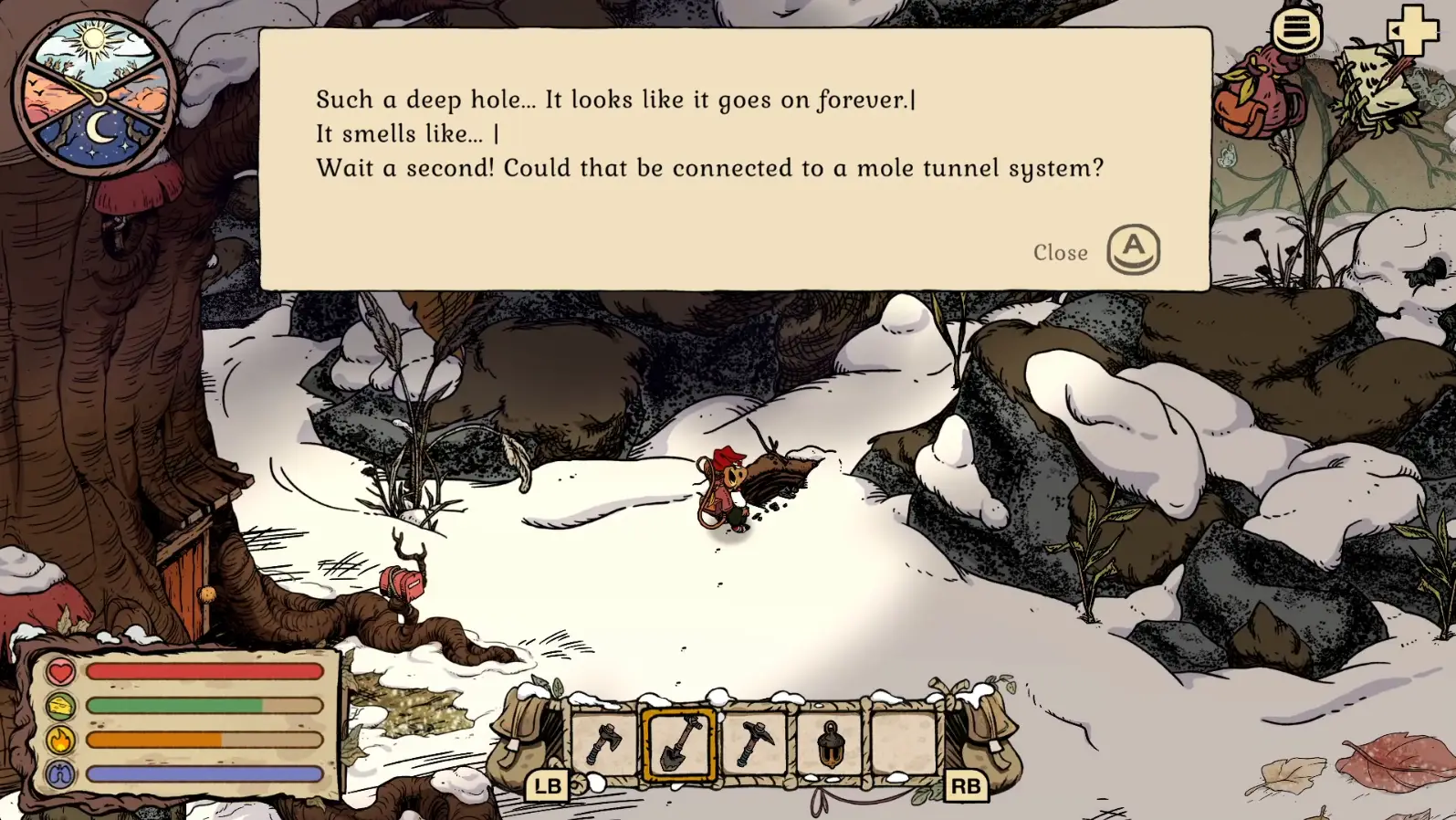
Verified Willow tunnel interaction shown for mechanic context. The Tidy Up update adds separate secret shortcuts whose landmarks can differ. Gameplay screenshot via Gamer Social Club.
05
Guide Step
What Returning Players Should Do First
Start with the save and platform you intend to continue. Open each container, check the active quest and take stock of tools and supplies. If a container is unexpectedly empty, use Winter Burrow lost items recovery guide before recycling or replacing it. A spare slot supports a separate run but does not automatically copy your old save.
Then test one familiar route. For a phone-specific problem, include the phone model, OS, game version and input method when asking for help. Compare the exact behavior with the platform notes rather than assuming an older PC fix applies.
06
Guide Step
What Did Not Change
The update does not turn Winter Burrow into a different game. You still gather, craft, cook, knit, manage warmth and hunger, meet NPCs, and read routes through landmarks and tool gates. The new systems reduce friction, but they do not remove the need to plan. Furniture still competes with tool materials if you craft too early. Extra inventory still fills if you collect everything. Fast travel still depends on discovery and state. Story Mode reduces pressure, but it does not replace understanding the next objective. Use the dedicated storage, backpack, furniture, tunnel, and map guides when one of those systems becomes the actual blocker.
07
Guide Step
Choose the Next Check by System
Choose the check that matches the visible problem. Use storage sorting for misplaced materials, backpack guidance for capacity, tunnel locations for shortcuts, furniture descriptions for stat benefits, save slots for separate runs and Story Mode for the preferred pressure level. A new save slot does not copy or protect an old file. For disappearing items, start with Winter Burrow lost items recovery guide before changing the save.
08
Guide Step
Mobile quest reports are not confirmed patch fixes
October App Store reviews report a missing Burrower Solstice tree recipe and tunnel dialogue that asks for an unresponsive B button. Google Play reviews also describe the missing seasonal tree. These are player reports, not an official description of every current mobile save.
The October 15–16 update notes do not identify either issue by name, so we cannot label them fixed. Update through the official store and check the same objective again while preserving the save. See Winter Solstice update guide for seasonal progression and tunnels not opening troubleshooting guide for tunnel-state checks.
Supply Tip 1
Latest major official update found: May 8, 2026 Tidy Up.
Supply Tip 2
Start old-save checks at home, not on a new route.
Supply Tip 3
Use dedicated pages for storage, inventory, tunnels, furniture, and map details.