A focused Winter Burrow fast travel locations map for mole tunnel landmarks, wrong-side confusion, Willow separation, and the evidence needed before treating a tunnel as usable fast travel.
Winter Burrow Fast Travel Locations: start with the entrance check
This mole tunnel locations map matches a reported entrance to a landmark, an entrance side, and the prerequisite before you treat the hole as a usable connection. The checks below cover the home and Willow side, the White Pillars and Pollywog oak-stump side, the Middle Wood and Moss campfire side, and the Bufo-side rocks. The Tidy Up update added secret mole tunnels as shortcuts to get home quickly, while Willow still uses separate wording: notebook checks, shovel state, and home-side digging. After a connection is confirmed, open the fast travel guide for the return decision.
Location check: landmark, entrance side, prompt, and normal fallback route.
Willow wording: notebook, shovel, home-side dig, or inspection state.
Fast travel decision: use the dedicated fast travel guide after the route goal is complete.
Bug problem: an opened tunnel stops responding after you leave or sleep.
Read the objective first. Notebook wording is a quest-state clue, not a general shortcut clue.
02
Guide Step
How to Read Tunnel Locations
A good tunnel map needs more than pins. It needs route state. For every tunnel, note four things: the nearest landmark, the tool or quest prerequisite, the direction it helps you return, and the safest fallback if it is not active. No single screenshot can answer every path, so use the main map for orientation and the shovel guide for Willow-specific state. When a tunnel appears, inspect it immediately and test the connection while the route is fresh. If it works, treat it as a return tool. If it does not, check whether it is a story tunnel, a general shortcut, or the wrong side of the connection.
These four checks are the mole tunnel locations map. Use them as practical checks, not as a promise that every save is in the same quest state. Players have reported the home/Willow connection as the easiest one to confuse: one side sits just outside the burrow after leaving the door and heading north toward the rocks, while the Willow-side entrance belongs to her quest chain. Another reported route links the White Pillars / Pollywog side with a dig spot around the large oak-stump path west of Pollywog; if you are at White Pillars, check the eastern edge and watch for spiders before committing. A later community note points to a Middle Wood entrance near the campfire and wagon-house landmark, with the other side around the first area north of Moss. Another check mentions a Bufo-side entrance hidden behind rocks left of a shelf, also returning toward the area north of Moss. The useful pattern is that these are not random holes in open ground. They sit behind route landmarks, tool gates, or objects that can be mistaken for scenery.
Home / Willow: check the north-of-burrow rock side only after the Willow quest state makes sense.
White Pillars / Pollywog: look for the oak-stump route and do not skip the eastern edge checks.
Middle Wood / Moss: use the campfire and wagon-house as the anchor, then test the Moss-side return.
Bufo-side route: if rocks hide the entrance, solve the rock/tool check before calling the map wrong.
04
Guide Step
Fast Travel Is the Next Decision, Not the Map Pin
Once a reported tunnel location is confirmed, move to the fast travel guide for shortcut use. The location page answers where to stand and what state to check; it does not promise that every save exposes the same entrance or connection. Keep the normal route available until the prompt responds and the exit is known. If the route target is unknown, scout normally first. If the bag is full, warmth is dropping, or the target is done, the shortcut guide explains when the tunnel has practical value. In other words, this page identifies the entrance; the fast travel page owns the return decision.
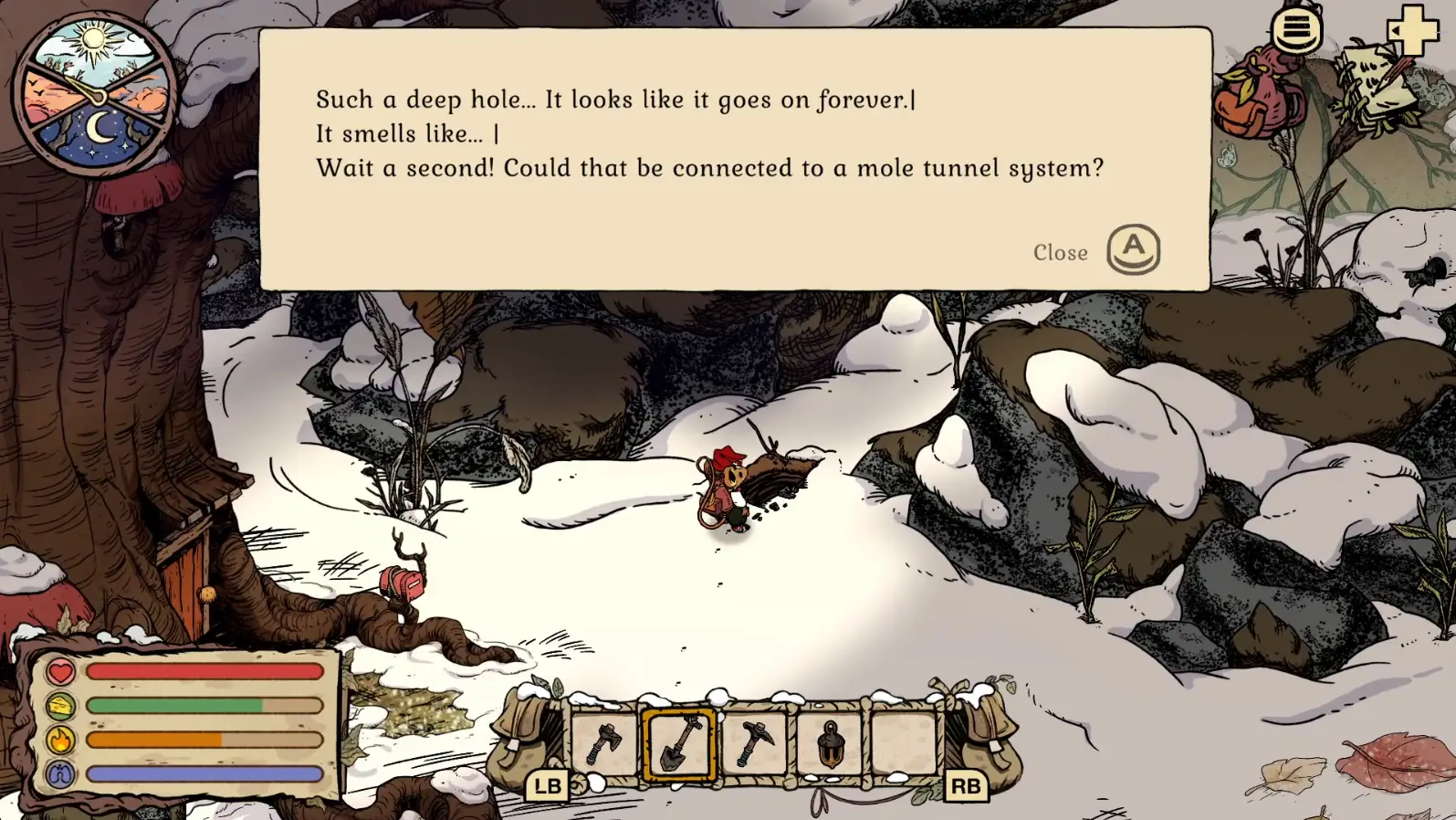
Verified Willow tunnel interaction shown as a prompt reference. Secret Tidy Up shortcut entrances may use different landmarks. Gameplay screenshot via Gamer Social Club.
05
Guide Step
Willow Tunnel vs General Shortcut
The Willow-related tunnel path is the easiest place to make a wrong turn. If the objective mentions notebook, shovel, home-side tunnel, or inspection, you are probably in quest progression. A general shortcut does not solve a missing notebook or inactive dig state. The right move is to complete the hand-in, confirm tool readiness, inspect the tunnel as soon as it opens, and only then rely on it as a connection. If you skip inspection and leave, earlier bug notes around inactive tunnels become relevant. If you have never opened it at all, the problem is more likely prerequisite state than a broken map.
06
Guide Step
Map Workflow
Use a three-page workflow. First, open this mole tunnel locations map page to decide which kind of tunnel problem you have. Second, open the fast travel guide if your goal is shortcut use after the Tidy Up update. Third, open the shovel/tunnel map if the wording is Willow, notebook, shovel, dig spot, or inactive tunnel. If you are simply lost, use the main map guide. This keeps every page narrow enough to help. A player searching for a tunnel location does not need every Winter Burrow route in one article. They need to know the tunnel type, the next check, and the safest return plan.
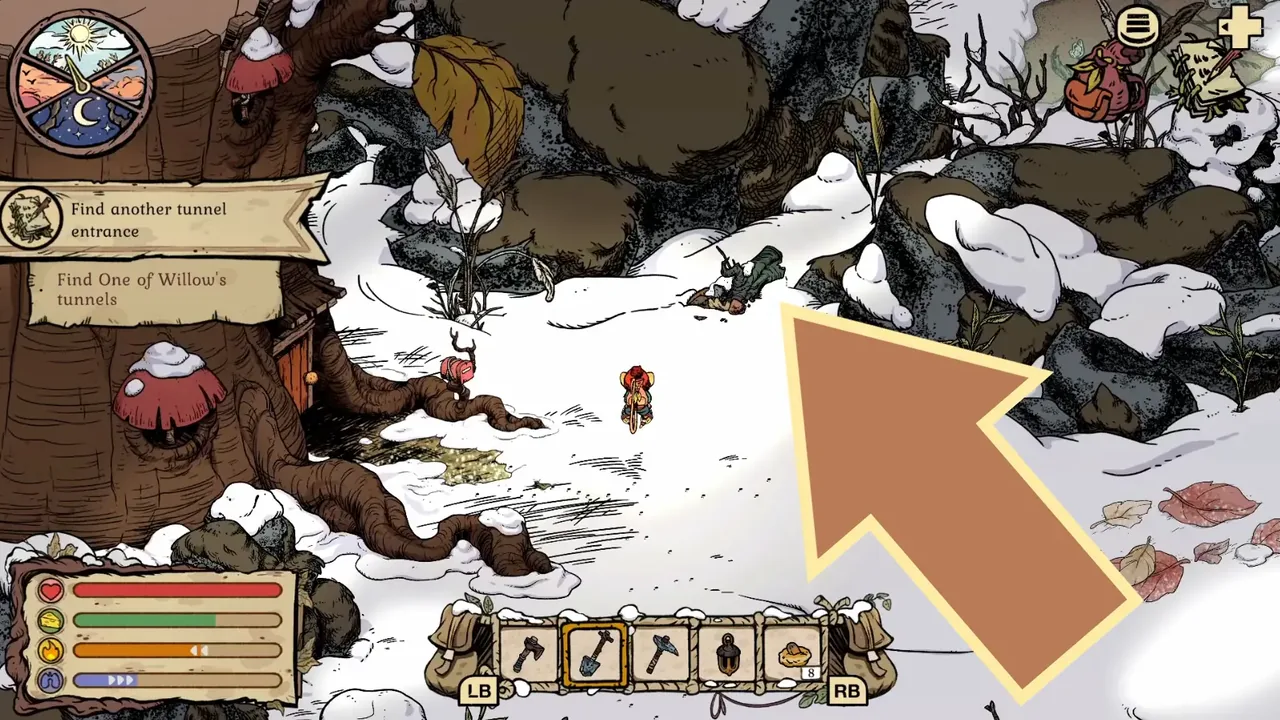
This home-side objective belongs to Willow's quest tunnel, not the general shortcut list. The large arrow was added by Gamer Social Club.
07
Guide Step
Quick Troubleshooting
If you cannot use a tunnel, ask these questions in order. Did you discover or open it yet? Did you inspect it immediately? Is the current objective actually a Willow step? Do you have the right shovel or quest state? Are you looking at a diggable object that resembles a log or scenery? Are rocks, brambles, spiders, or a tool gate blocking the real approach? Are you trying to shortcut before completing the route target? Do you still know the normal return path if the shortcut fails? A reliable tunnel route should pass these checks. If it does not, slow down and solve the prerequisite rather than searching for another map image.
Supply Tip 1
Use tunnels after the route goal is complete.
Supply Tip 2
Separate shortcut tunnels from Willow quest state.
Supply Tip 3
Always keep a normal return plan until the tunnel is tested.