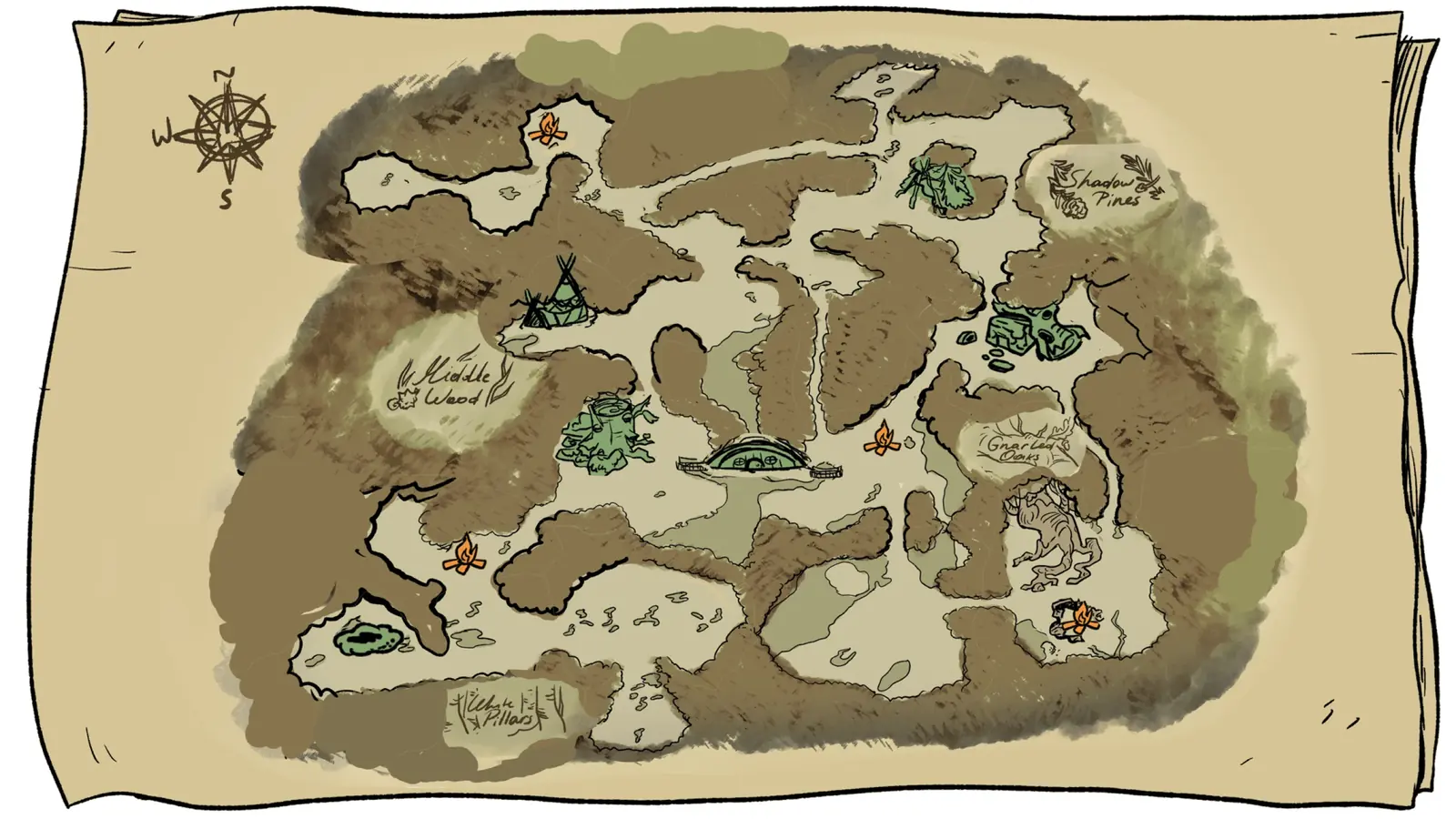
The Winter Solstice update says the map feature was added to help players navigate the Northlands more easily during their journey. Use it for the pain point players actually feel: you know the game has routes, but you do not always know whether you are on the right branch. The map feature reduces that uncertainty. It helps you orient before departure, compare a known route to an open area, and decide which guide to open next. It is not a complete route solution by itself.
The new map feature should be treated as a starting point for route reading, not the final answer.
02
Guide Step
Use the Map to Get Oriented, Not to Guess the Gate
Separate orientation from permission. The map helps you see the Northlands; it does not magically tell you whether you have the correct axe, pickaxe, shovel state, or NPC quest step. Once you know the region, switch to the exact route page. If you are heading for Heavy Key, use the Heavy Key page. If you are on Willow or the tunnel, use the tunnel page. If you are trying to reach Pollywog or Pinesap, use those pages. The map only gets you to the right neighborhood.
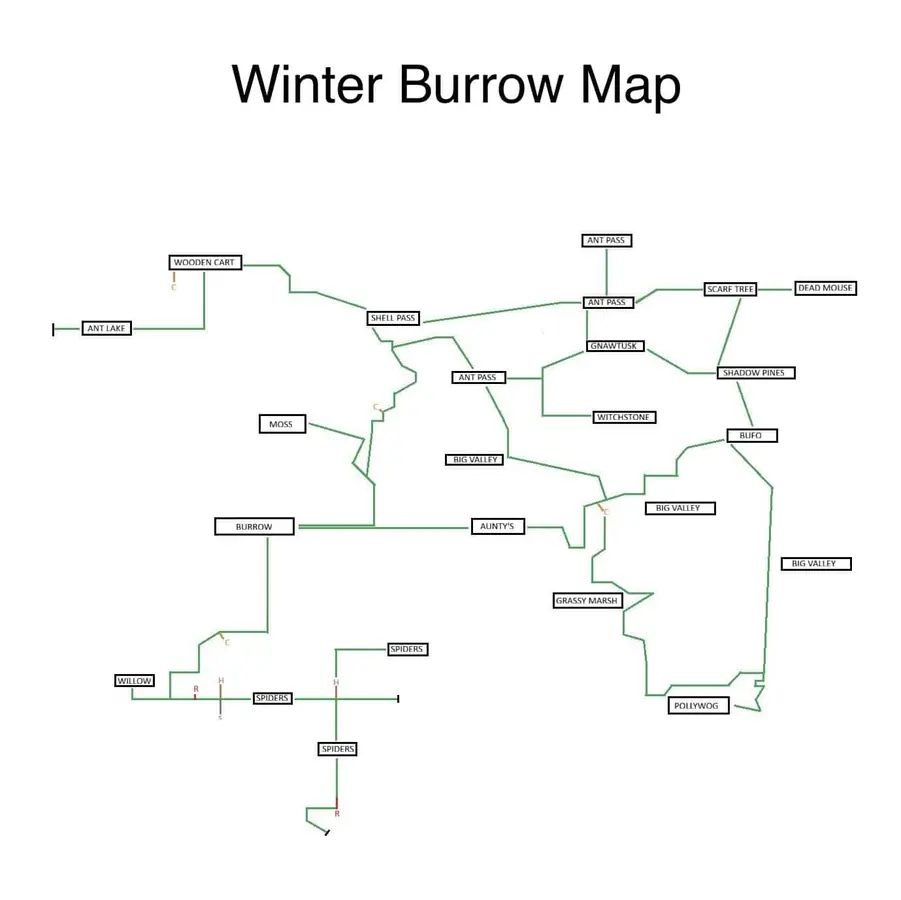
Community map comparison helps show where orientation ends and route guidance begins.
03
Guide Step
Why Route Guides Still Matter
Winter Burrow is not a game where the map alone solves every blocker. You can know the destination and still fail because you do not have the right axe, pickaxe, shovel state, warmth buffer, or NPC step. Use the map until you know the area, then switch to the route guide when the question becomes "why can I not enter?" or "what am I missing?" For Heavy Key, the issue is the vine/thicket route and skull landmark. For Willow, the issue is notebook and tunnel state. For Pollywog and Pinesap, the issue is tool readiness plus the correct branch. The map is the first layer, not the whole answer.
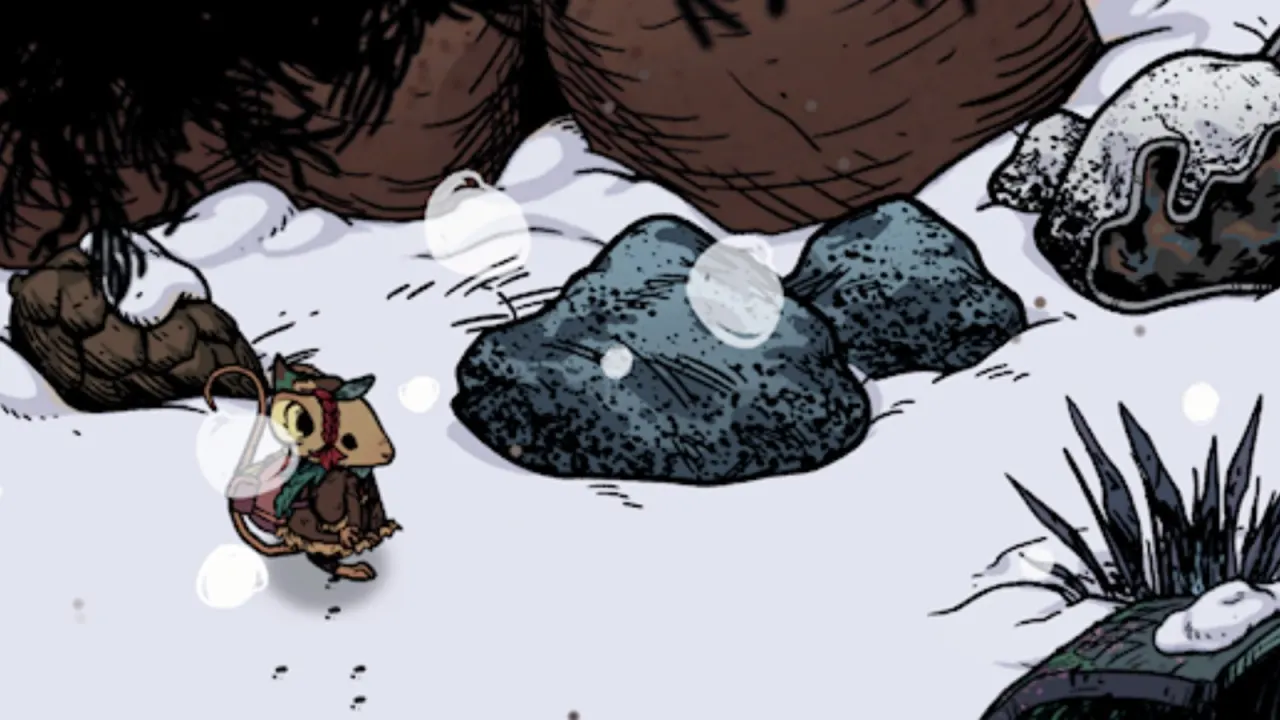
A real route gate: these Granite boulders need the Granite Pickaxe even after the map has identified the region. Image credit: Eurogamer/Pine Creek Games.
04
Guide Step
When the Map Puts You in the Right Region but the Route Still Fails
Stop walking larger circles and identify the object that ended the route. A vine-covered opening points to an axe requirement. A boulder points to the matching pickaxe tier. An excavated tunnel prompt belongs to Willow's tunnel objective and the shovel progression, not to ordinary map exploration. A visible NPC with no useful continuation usually means an earlier quest hand-in or dialogue state is still open. Take a screenshot of the obstruction with the current objective visible, then return to the closest safe point and check the related tool or quest guide. This is faster than using a broad map to search every neighboring branch. The updated map answers "which region am I in?"; the obstruction answers "which progression check am I missing?" Read both pieces of evidence before changing routes.
Vines or thicket: confirm the required axe and the exact route guide.
Stone barrier: compare the boulder with the pickaxe tier shown by the guide.
Tunnel prompt: check Willow's objective and Flint Shovel state.
NPC without progress: finish the previous hand-in and dialogue before rerouting.
05
Guide Step
Build a Reliable Return Route Before Gathering
Use the map once before leaving the burrow and once when you reach the destination area. On the outbound trip, choose a landmark that is easy to recognize in both directions: an NPC camp, bridge, broken log, fire pit, caravan, skull, or tunnel entrance. Do not use a loose resource node as the only anchor because gathering it can remove the thing you planned to recognize. At the destination, turn the camera toward the way home and capture the landmark from the return angle. If a shortcut or secret mole tunnel is already unlocked on your save, confirm its entrance before filling the backpack. A route is only successful when you can leave with the item and return safely; arriving with no recovery plan is still an incomplete route.
06
Guide Step
Where to Go After Opening the Map
If you are comparing current map options, open the interactive map page. If the map shows the right region but a thicket or gate blocks you, open the Heavy Key or shovel/tunnel page. If you have unlocked secret mole tunnels, use the fast travel guide after finishing the objective so you can return safely instead of wandering home with a full bag. If the blocker is a material or tool, use the item guide and progression unlocks page. This map page is useful when it helps you leave with a clear next click instead of another vague destination.
07
Guide Step
When the Updated Map Is Enough
The updated map is enough when you are checking a broad direction, returning to a known NPC, or matching a familiar landmark to a region. It is not enough when the route depends on a quest state, a tool tier, or a hidden object. A good rule is simple: if you are lost, use the map; if you are blocked, use a guide. That distinction saves more time than staring at any map image longer than necessary.
Supply Tip 1
Use the map for orientation.
Supply Tip 2
Open a route page when a tool gate appears.
Supply Tip 3
Treat the map as the first layer, not the whole answer.