Winter Burrow Controls, Sprint Key & Common Bug Fixes (DualSense, Crafting & Beds)
Survival

Winter Burrow Controls, Sprint Key & Common Bug Fixes (DualSense, Crafting & Beds)

Hold Shift (keyboard) or B (Xbox/controller) to sprint across deep snow; fix crafting glitches, PS5 DualSense button labels, and furniture/bed clipping without losing your save.

9 min read
Published
sprintcontrolskeybinds
01

Guide Step

How to Sprint in Winter Burrow (Yes, There Is a Run Button)

One of the highest-upvoted community discoveries is realizing your mouse does **not** have to trudge slowly across snowstorms—there is a dedicated Sprint control from minute one. On **PC keyboard**, hold or press **`Shift`** to sprint (check your live controls menu if remapped after the **May 8, 2026 Tidy Up** key-rebinding update). On **Xbox / standard gamepad controllers**, hold **`B`** (the right-side face button) to sprint. Keep an eye on hunger/stamina and outdoor warmth while sprinting: running trims long transit times across Gnarled Oaks and Shadow Pines cleanly, letting you beat sunset before freezing temperatures spike.

  • Keyboard & Mouse (PC): press/hold `Shift` (PC key rebinding available via Tidy Up update).
  • Xbox / Gamepad: press/hold `B` on Xbox-layout controllers (or equivalent right face button—see DualSense section below).
  • Route tip: combine sprinting between bridges with unlocked Mole Tunnels (`winter-burrow-fast-travel-locations`) rather than jogging whole regions.
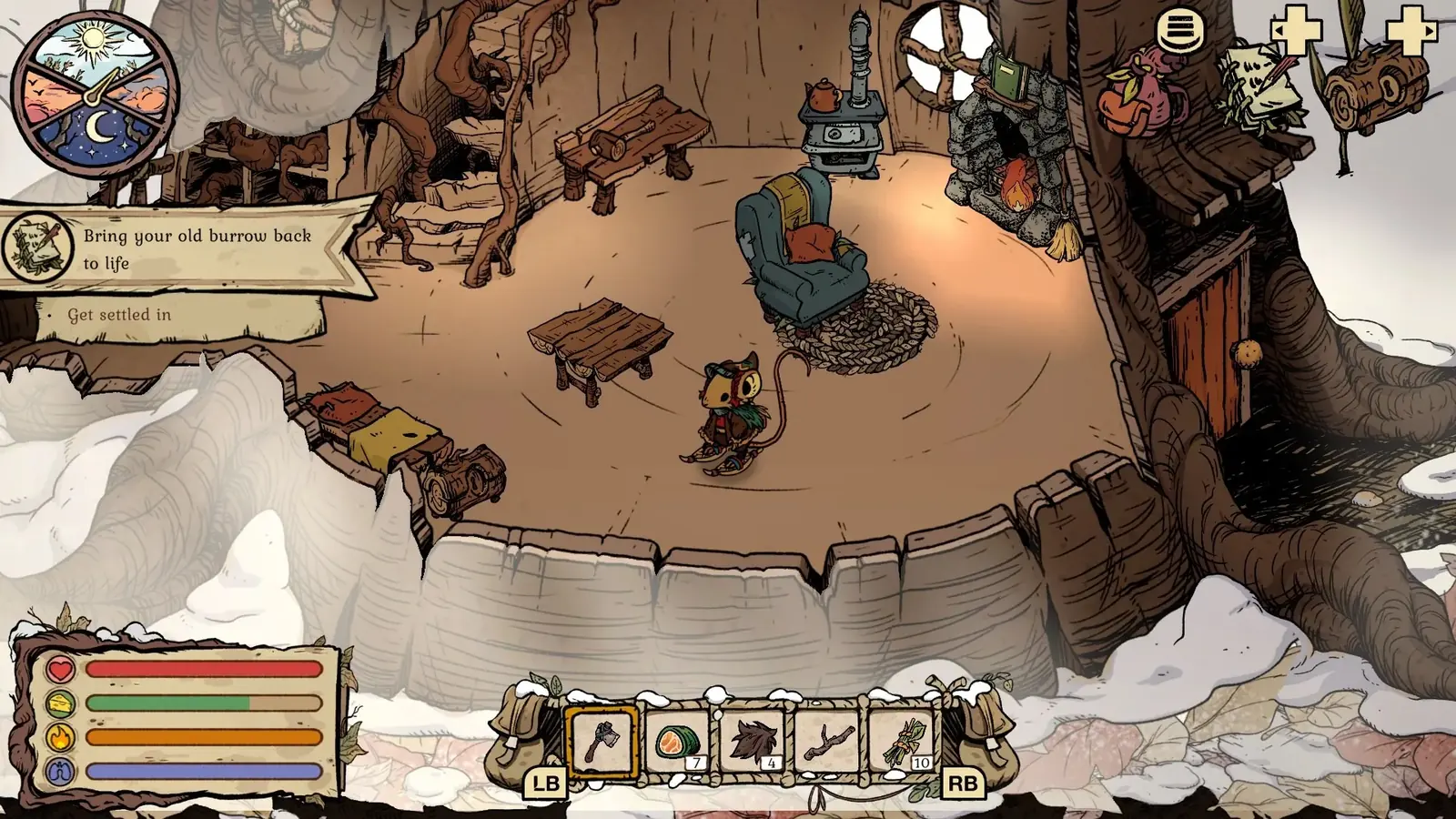
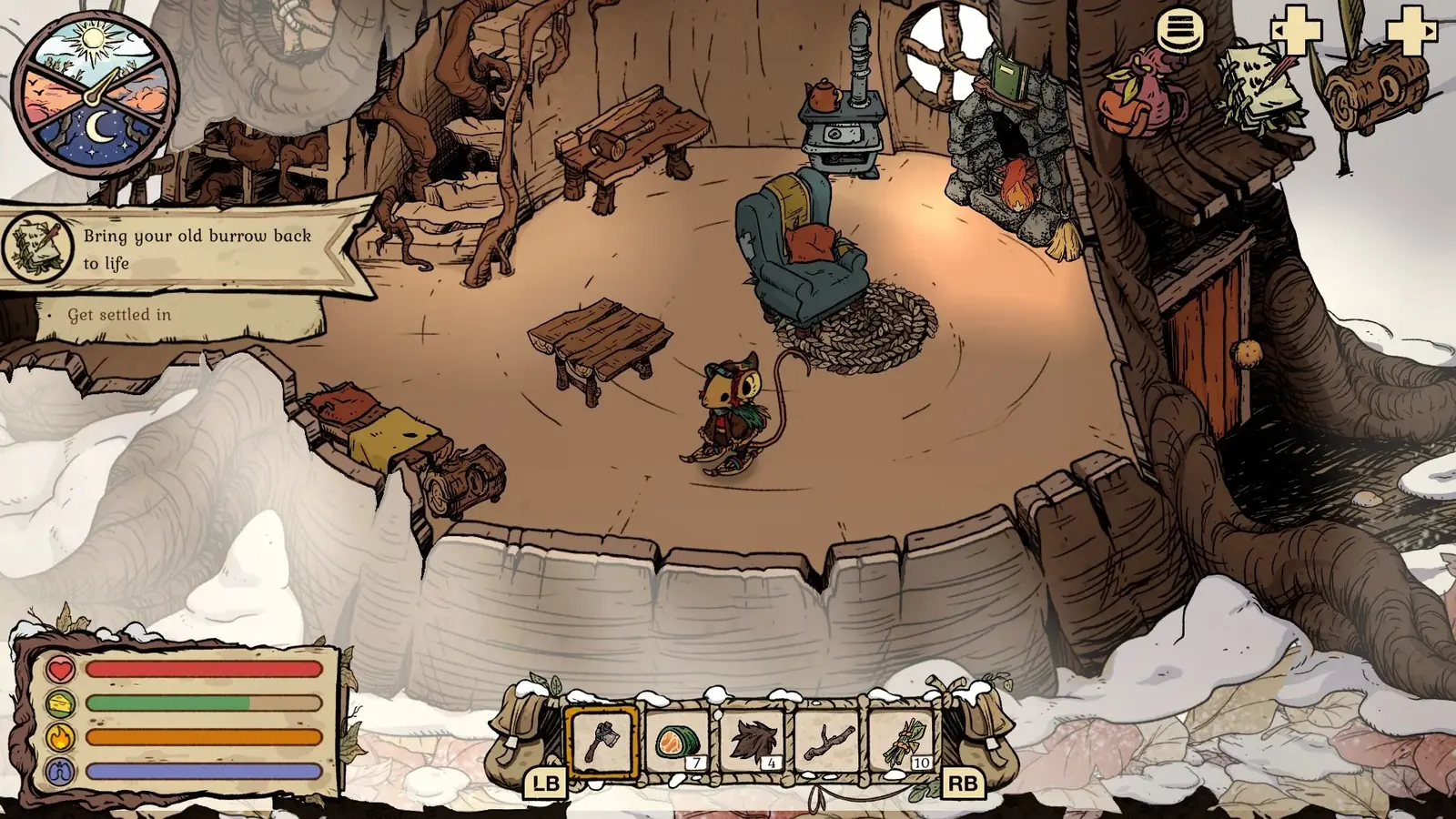
Winter Burrow console HUD showing quick-bar controls and survival meters during snow exploration
Watch your warmth and hunger meters when sprinting long snow corridors between checkpoints.
02

Guide Step

PS5 DualSense Controller on PC (Why Prompts Show Xbox Buttons)

If you plug a PlayStation **DualSense** controller into Windows PC via Steam, Winter Burrow currently renders **Xbox letter prompts (`A`, `B`, `X`, `Y`)** instead of PlayStation symbols—an issue acknowledged in a November 2025 Steam thread by a Pine Creek Games developer and still reported in November 2026 discussions (`winter-burrow-ps5`). Toggling Steam Input on or off and switching between USB and Bluetooth typically leaves Xbox icons active. Instead of restarting repeatedly, use **positional mapping** (`A = Cross`, `B = Circle [Sprint]`, `X = Square`, `Y = Triangle`) and open the in-game controls settings menu to verify sprint and quick-bar prompts before venturing outdoors.

  • Positional DualSense map: `A` = Cross (`✕`), `B` = Circle (`◯` — Sprint), `X` = Square (`□`), `Y` = Triangle (`△`).
  • PC keyboard alternative: Tidy Up (May 8, 2026) supports keyboard rebinding if controller prompts trip crafting.
  • Console clarity: Nintendo Switch and Mobile carry their own native interfaces (Switch guide, [/mobile](/mobile)).
03

Guide Step

Crafting Cursor Jumps, Failed Crafts & Chest-vs-Backpack Rules

Three distinct crafting frustrations show up across Steam and Reddit troubleshooting: 1. **Materials in chests vs quest counters**: Items sitting inside burrow storage count for workbench **crafting**, NOT for NPC **quest hand-in counters** (especially Pebbles for Bufo and Snow Fox Fur Tufts for Moss). Always pull quest materials into your **backpack** before talking to NPCs. 2. **Crafting menu pops & cancels or cursor jumps**: If clicking Craft flashes the progress ring and cancels or controller focus keeps snapping oddly, close and reload the game cleanly after saving at your burrow, or move the needed items directly into your active pack and check with mouse/touch if on PC. 3. **Missing rewards with full inventory**: Important quest gifts earned while your bag is 100% full can route to your **burrow mailbox** after a full close-and-reopen (lost items recovery).

  • Quest rule: keep Pebbles, Fur Tufts, and pies in carried slots—chests count for building, not quests.
  • Stuck craft animation: save via sleeping or burrow entry, relaunch, and retest with 2 open pack slots.
  • Recycling after Tidy Up: recycling (`May 8, 2026 Tidy Up`) removes unneeded clutter; never recycle quest herbs or stashes by mistake (Recycling Guide).
Winter Burrow indoor storage menu before crafting or recycling items in Tidy Up
Audit burrow containers and active pack slots before recycling or diagnosing a stalled craft.
04

Guide Step

Bed Placement Softlocks, Trapped Corners & Save Safety

With Tidy Up adding rotation and freer home layout placement, placing a **bed** too tightly against your workbench or wall geometry can accidentally block workstation access or trap your mouse in a corner upon waking up. Leave clear walking space on at least one open side of every workstation and bed. If you wake up wedged behind furniture, try picking up or rotating the nearby bed/decor if the interact prompt reaches; if the character cannot step out at all, reload the save rather than resetting your whole campaign—see how to save and protect your three slots and how autosave works.

  • Burrow layout rule: always keep clear floor clearance between beds, stoves, storage chests, and workbenches.
  • Trapped after waking: test interacting/moving the bed first, then exit cleanly to reload.
  • Three save slots: use Slot 2 or 3 for experimental runs; reserve Slot 1 for your main story (Save Slots Guide).
Winter Burrow character sleeping inside restored burrow with open walking clearance beside furniture
Keep clear walking space around your bed and workbench so waking from an autosave never wedges your character.
05

Guide Step

Frequently Asked Questions

Quick controls and bug-recovery answers for Winter Burrow.

  • Can you sprint in Winter Burrow? Yes. Hold/press `Shift` on PC keyboard or `B` on Xbox/controller.
  • How do I fix DualSense PS5 controller prompts showing as Xbox buttons on Steam? There is no official Sony glyph toggle confirmed yet; read `A/B/X/Y` by face-button position (`B` / Circle = Sprint).
  • Why can I craft from chests, but my NPC quest stays at 0? Quest turn-ins require materials in your carried backpack rather than inside burrow chests.
  • What should I do if I get stuck on my bed or craft table? Move/pick up the furniture item blocking the tile clearance, or exit cleanly and reload.
  • Where did a missing quest reward go? Empty two pack slots, fully close and reopen the game, and check your burrow mailbox.

Supply Tip 1

Always hold 2 open inventory slots before handing in quests or using the burrow crafting menus.

Supply Tip 2

Leave clear floor spacing around your bed, stove, and workbench to avoid clipping upon wake-up.

Supply Tip 3

Rebind uncomfortable PC keyboard controls in settings following the Tidy Up patch.

Calculator Hooks

Sources & Verification Notes

Return to Articles

Related Articles