Winter Burrow Willow Tunnel – Where It Is, How to Open It, and the Bug Fixes
Willow's tunnel is outside your own burrow, not at Willow. Exact landmark, Notebook and Flint Shovel prerequisites, and the patches that fixed the tunnel bug.
Right outside your own burrow - not anywhere near Willow. That is the single thing that keeps people walking in circles, because the quest comes from Willow and everyone assumes the hole is at his end.
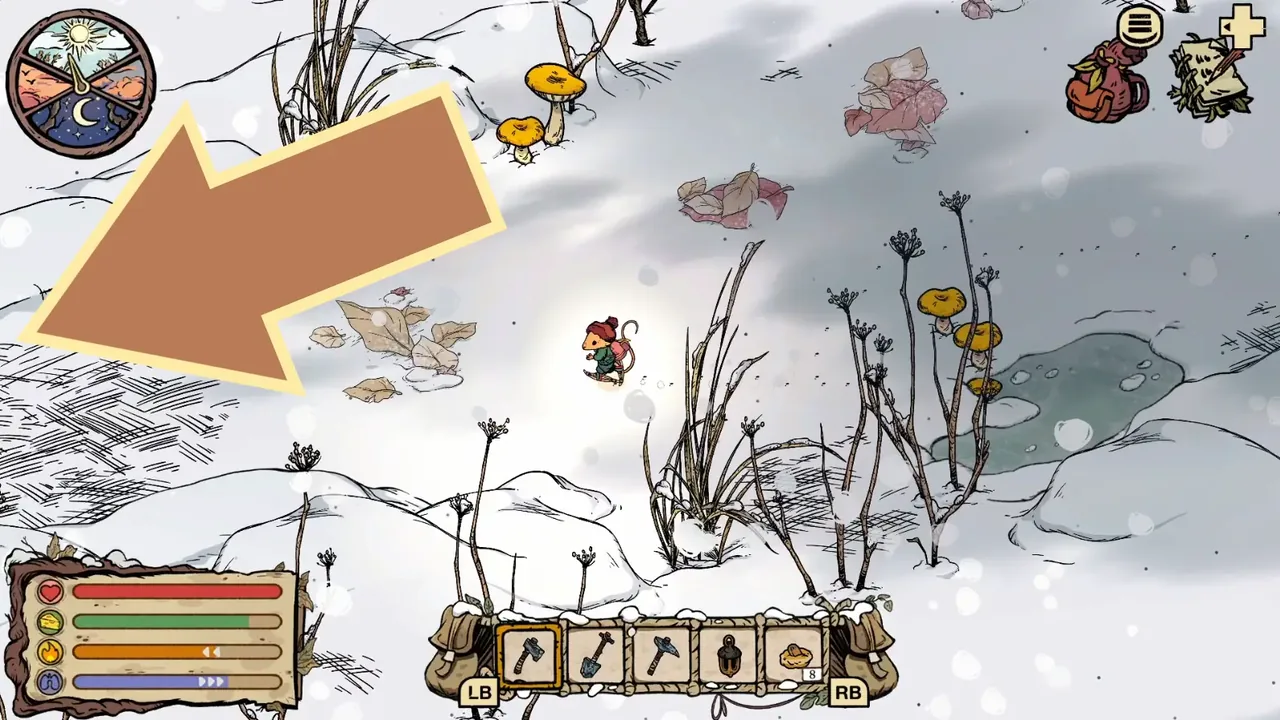
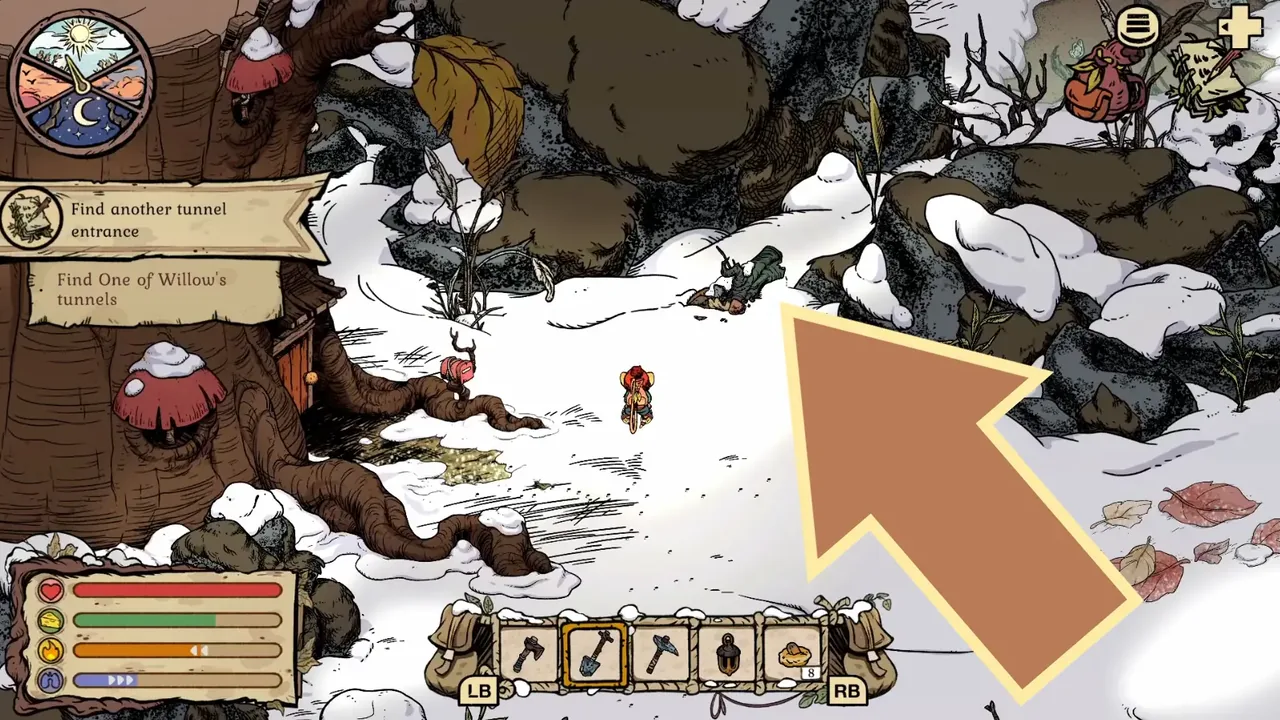
The landmark, as one player put it on the Steam discussions: the dig spot is "near your burrow entrance to the north east, between the two giant rocks... a few steps away from your door and looks like a grey fallen log". Leave your front door, look north toward the rocks, and you are looking for a log-shaped shape rising out of the ground with the opening blocked. It has been sitting there the whole game.
You still need two things before it will do anything: Willow's Notebook returned to Willow, and the Flint Shovel crafted at home. The full state machine is below.
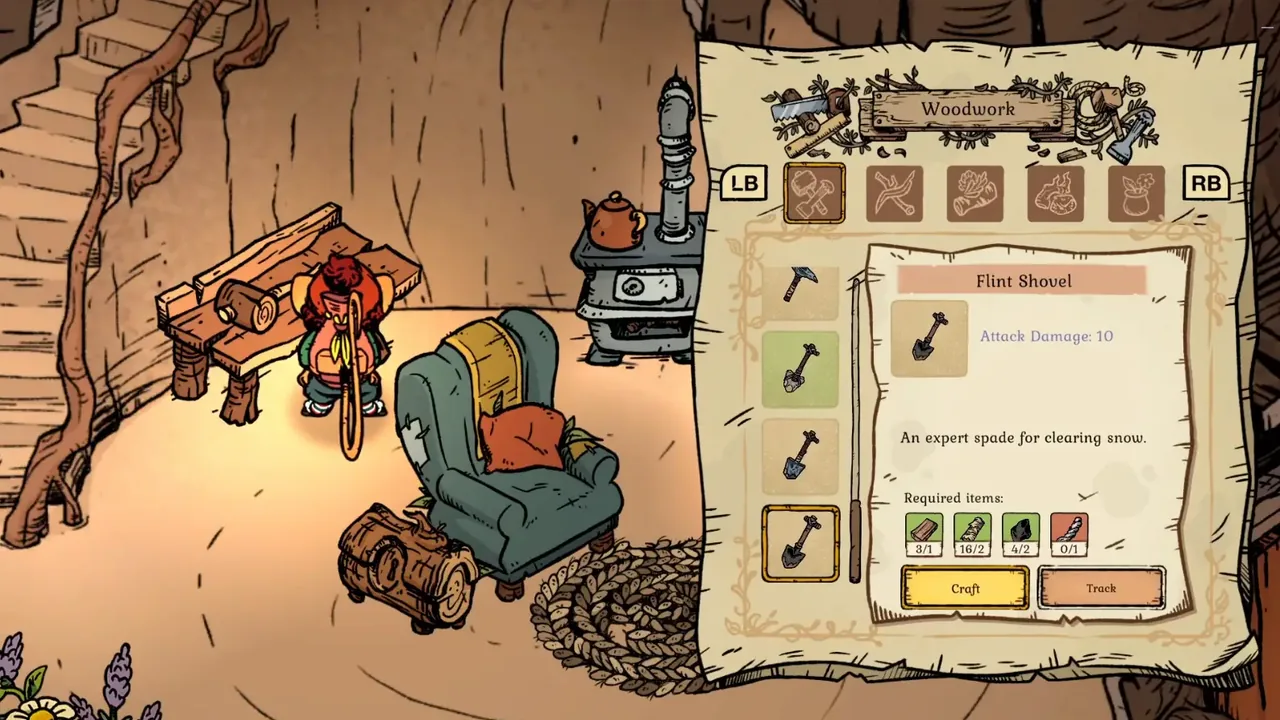
The Willow tunnel sequence has four visible states. First, accept Find Willow's Notebook and return to the burrow; the notebook lies outside near an unusual ground patch. Second, take it back to Willow. That hand-in starts Find Another Tunnel Entrance and gives you the Flint Shovel blueprint. Third, craft the Flint Shovel in the Woodwork menu at home. Fourth, go back outside and dig the small strange-looking patch near the notebook location, then inspect the exposed entrance immediately. The dig point is close to the burrow, not deep beside Willow. The Steam FAQ documents a bug where an excavated Willow tunnel can become inactive if it is not inspected right away, so do not sleep or leave after digging before using the interaction prompt.
Notebook problem: check just outside/near your burrow before re-running to Willow.
Recipe problem: return the Notebook to Willow and finish the conversation that starts Find Another Tunnel Entrance.
Dig problem: use the Flint Shovel on the unusual patch near where the Notebook was found.
Bug problem: if you dug it open and it became inactive, compare your state with the Steam FAQ known bug note.
Prerequisites before the Willow tunnel makes sense
First, reach Willow in White Pillars through the route opened by the Granite Pickaxe. Second, accept Find Willow's Notebook and collect the notebook outside the burrow. Third, return it to Willow and finish the conversation. The reward is the Flint Shovel blueprint and the new Find Another Tunnel Entrance objective. Go back to the burrow, open the Woodwork menu, select Flint Shovel, gather the materials shown by your own recipe panel, and craft it. The screenshot below is the exact menu state: Flint Shovel selected, Attack Damage 10, and the description An expert spade for clearing snow. It proves the correct tool name and workstation without inventing material names that are not legible in the source. If the recipe is absent, the notebook hand-in or Willow dialogue is incomplete; searching another region will not unlock it.
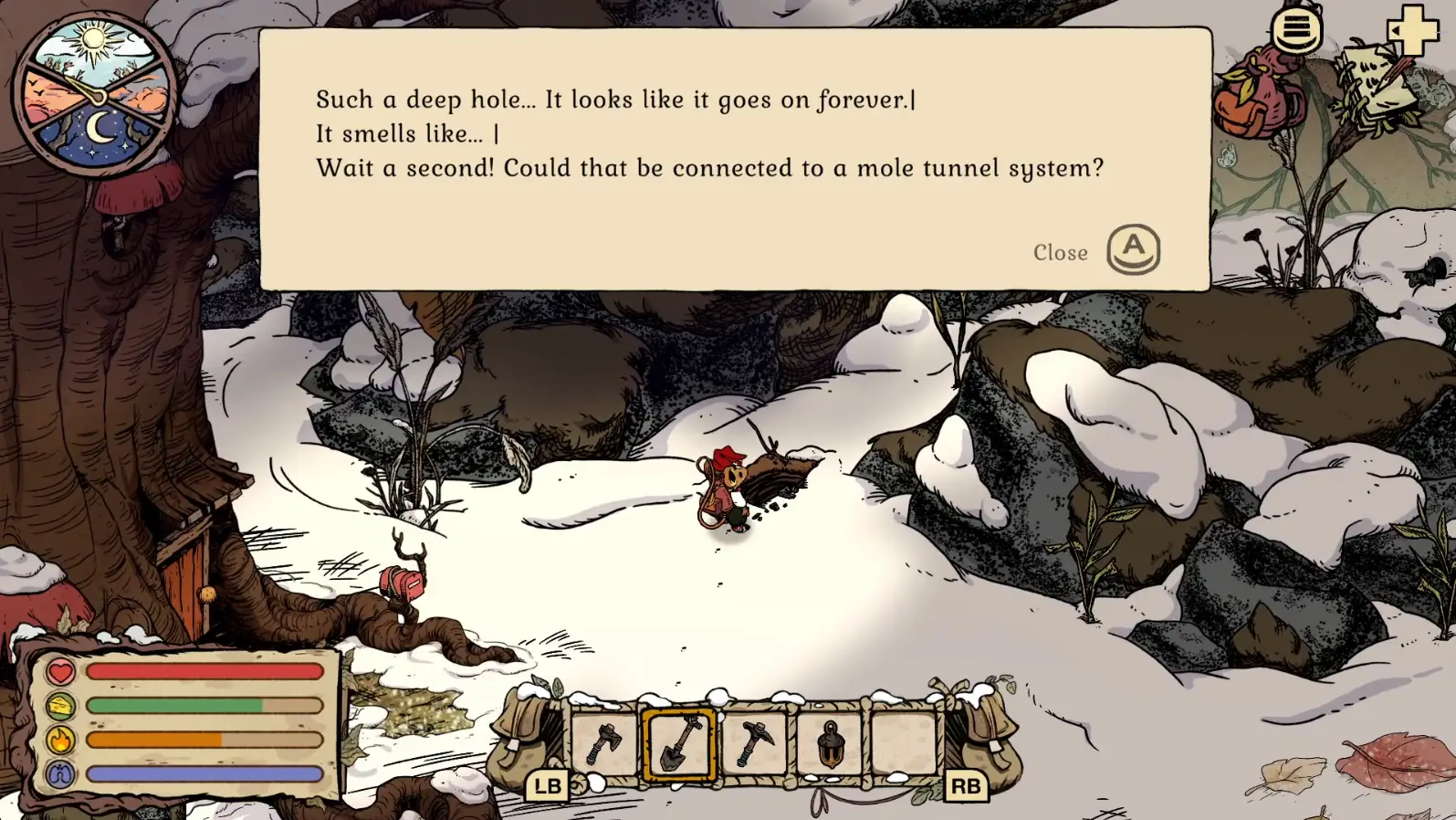
Leave the burrow and return to the area where Willow's Notebook appeared. With Find Another Tunnel Entrance active, the HUD says Find One of Willow's tunnels. The route screenshot shows the home wall on the left and points toward the nearby ground patch; use the objective and burrow wall together, not the editor arrow alone. Equip the crafted Flint Shovel and dig the small strange-looking patch. After the excavation, a dark round entrance with an interaction prompt appears among the rocks. Walk up to it and use the prompt immediately. That final interaction is what players miss when they dig and run away. If the objective is correct but there is no dig response, verify the finished Flint Shovel is selected. If the objective still says Notebook, return the item to Willow. If the objective has already moved to Talk to Willow, the dig was completed and the next action is the hand-in, not another hole.
Start at home, not at Willow, when the quest is specifically about the tunnel entrance.
Use the burrow wall and Find One of Willow's tunnels HUD as the route confirmation.
Look for a small diggable patch; the dark Willow tunnel opening appears after excavation.
After excavating, inspect the Willow tunnel immediately before sleeping or leaving the area.
There are two very different failure modes. Missing step means the recipe, dialogue, notebook, or dig spot has not been completed in the right order. Bug means you already excavated correctly but the Willow tunnel became inactive. The Steam FAQ includes a known bug note for the Find the Tunnel quest: if you excavate the tunnel and do not inspect it right away, it can become inactive later. That is not a route-reading issue.
Use this test. If you have never seen the excavation animation, you are probably missing a step or standing at the wrong spot. If you saw the animation, the Willow tunnel appeared open, then it stopped responding after sleeping/leaving, treat it as the known bug path. Check whether your game version has the patch, reload an earlier save if available, and avoid repeating the same route for an hour as though the map is wrong.
Missing step: no shovel recipe, no notebook hand-in, no dig prompt, or wrong side of the map.
Likely bug: tunnel excavated successfully, was visible/open, then later became inactive.
Prevention: inspect the Willow tunnel immediately after excavation before sleeping or routing away.
If stuck after the bug state, check official Steam discussion/FAQ and patch notes rather than farming more materials.
Second cause worth checking: the Flint Shovel recipe can silently fail to appear in the Woodwork menu. Players report it showing up on its own after restarting the game.
05
Guide Step
The inactive Willow tunnel bug was patched twice
This matters because most of the advice still circulating was written during the launch window, when the bug was live and there was no fix. If you are playing a current build, you are very likely not hitting the same problem those threads describe.
The developer acknowledged it directly on Steam in November 2025, saying they were working on a patch and had no easy workaround at the time. Two fixes followed.
Build 1.0.1, posted 15 November 2025, lists "Fixed a softlock that could happen if you didn't inspect a tunnel right after excavating it" along with "Made a solution so that the spawning of important quest items in the burrow is not blocked". Then the Winter Solstice update, 17-18 December 2025, adds "An issue has been fixed where the mole tunnel could become inactive" - the same line appears on the Switch update log.
So: if you are on a build from December 2025 or later and your Willow tunnel is unresponsive, do not assume it is the famous softlock. Work through the missing-step checks above first, because those are now the far more likely cause.
Build 1.0.1 (15 Nov 2025): fixed the softlock from not inspecting a tunnel right after excavating it.
Winter Solstice update (17-18 Dec 2025): fixed the mole tunnel becoming inactive.
On a current build, a dead Willow tunnel is more likely a missing step than the old bug.
Unconfirmed: some players reported that dying reset the quest and cleared the block. That is a single player anecdote from December, not a developer-endorsed fix, and we would not rely on it.
If a quest item vanished on pickup because your inventory was full, the developers say it reappears in your mailbox after you close and restart the game.
06
Guide Step
How this connects to Mole Artifact
The tunnel is not the end of Willow. After reporting the entrance, continue A Berry? and later character progress until Willow gives Find a Mole Artifact. That quest uses a different route and different tool: leave Willow through the bird nest exit, cut the eastern vines with the Flint Axe, pass the spider, and follow tall grass south to the half-buried Mole Helmet. The exact item, hand-in, and backpack reward are shown in /articles/winter-burrow-mole-artifact. Do not use an artifact screenshot to locate the home tunnel, and do not search the home-side notebook patch when the helmet task is active. The HUD tells you which route family is current.
Willow tunnel step: home-side dig and inspect.
Artifact step: later Willow ask, bird nest, Flint Axe vines, spider, tall-grass dead end.
Dinner step: after Willow closure, hazelnut/dialogue state can still affect final invitation.
07
Guide Step
FAQ
Fast answers for Willow shovel and tunnel issues.
Where is Willow's tunnel? Outside your own burrow, north-east of the front door, between two large rocks. It looks like a grey fallen log.
Where is Willow's Notebook? Near the same spot, just outside the burrow. Check there before running back to Willow again.
Why is the Flint Shovel not at my bench? Usually missing Willow dialogue. But it can also be a glitch where the recipe does not render - players report it appearing after a game restart.
Can the Willow tunnel bug out? It could, and it was patched twice: Build 1.0.1 in November 2025 and the Winter Solstice update in December 2025.
Does the Willow tunnel cost anything to use? Yes. Players report tunnel fast travel consumes food, and you may be prompted to eat first if your hunger bar is low.
Does every tunnel connect somewhere? No. One player counted 7 tunnel entrances but only 3 working tunnels, so an unresponsive entrance is not automatically broken - its far end may simply not be open yet.
Supply Tip 1
Check home-side prompts before re-running to Willow.
Supply Tip 2
Inspect the Willow tunnel immediately after digging to avoid the known inactive-tunnel bug state.
Supply Tip 3
Separate Notebook/Tunnel from Mole Artifact; they are not the same route problem.